
Download Ascomp F-Rename – Free Bulk File Renaming Tool for Windows & Mac
Ascomp F-Rename is a powerful, user-friendly file renaming tool designed for anyone who manages large volumes of digital media. Whether you're a photographer organizing thousands of images from a recent shoot, a videographer sorting raw footage, or a student managing research files, F-Rename simplifies the process of bulk renaming with customizable patterns. This premium software offers a 14-day free trial, allowing users to test its full functionality before purchasing.
With support for Windows and Mac, and a clean, intuitive interface, F-Rename stands out among bulk renaming tools like Rename Master and Bulk Rename Utility. The app enables you to transform confusing file names like DSC813913091.JPG into meaningful ones like Photo_2024_05_15_001.JPG using flexible naming rules. It supports multiple languages and is ideal for users who need precision, speed, and consistency when managing file systems.
Key Features of F-Rename
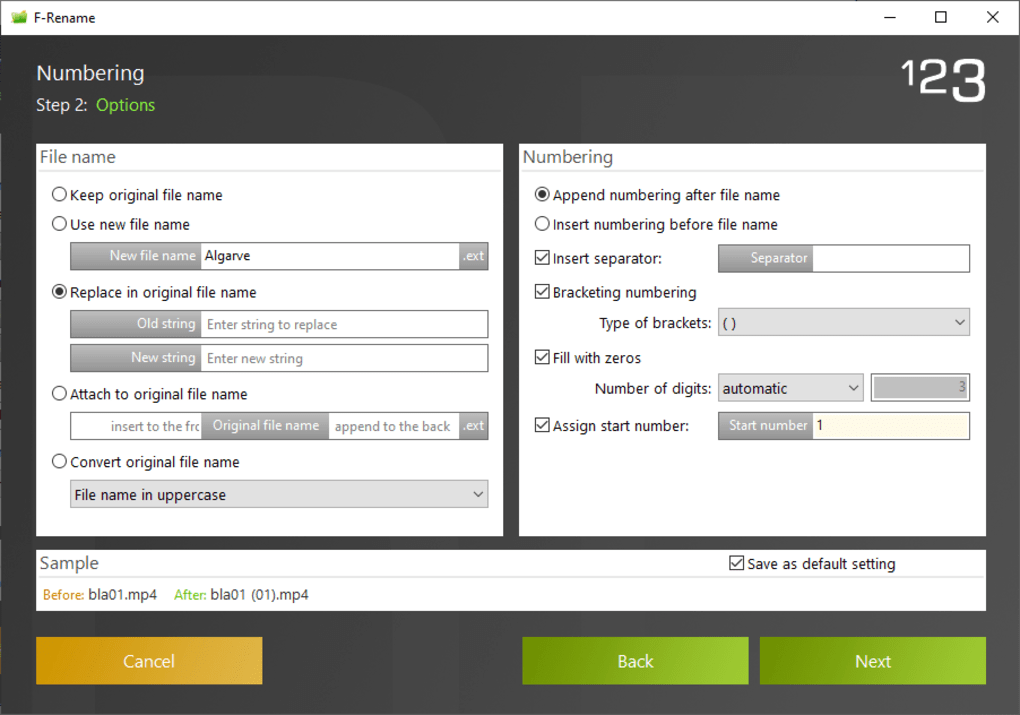
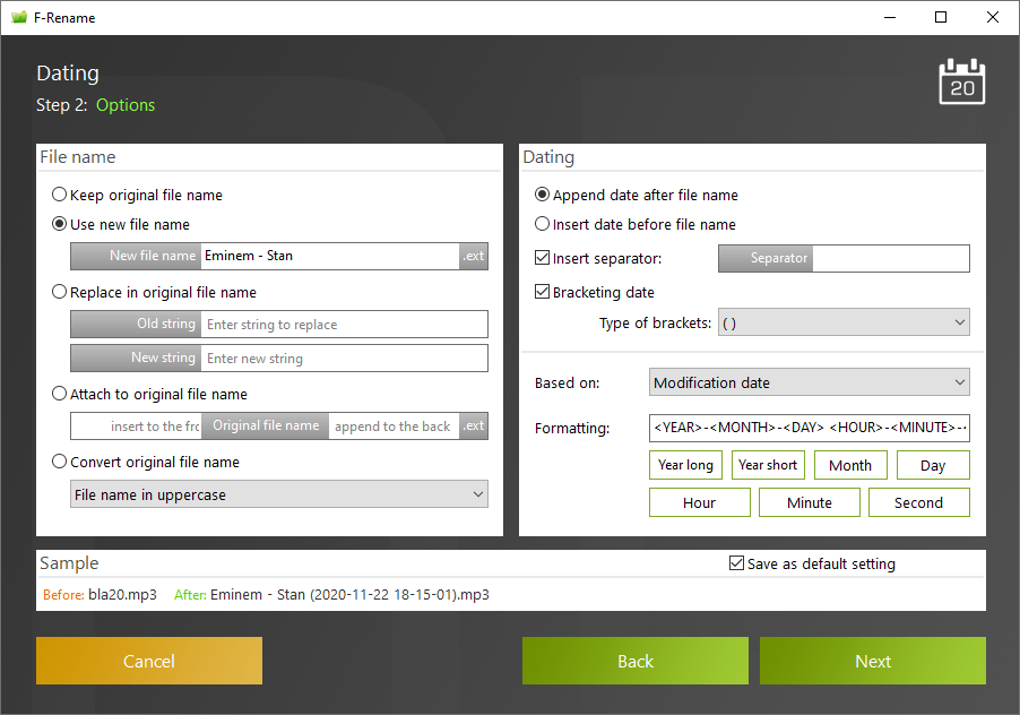
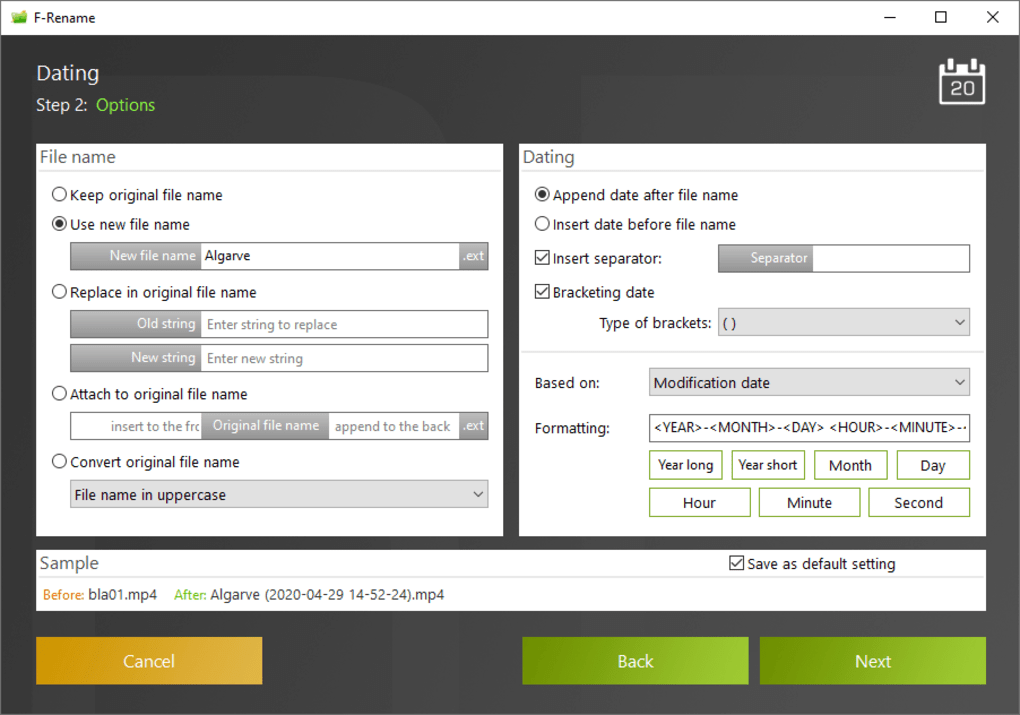
Ascomp F-Rename offers a robust set of features that make bulk file renaming both efficient and customizable. One of its standout features is the ability to create user-defined renaming patterns. Unlike tools that rely on preset templates, F-Rename empowers users to design their own naming logic using variables such as date, sequence numbers, file type, and custom text. This flexibility ensures that no matter how complex your file naming needs, F-Rename can adapt.
The software supports batch processing, meaning you can rename hundreds or even thousands of files in seconds. Whether you're renaming photos from a digital camera, audio files from a mobile device, or documents from a project folder, F-Rename handles them all seamlessly. The app works with all file types—images, videos, audio, PDFs, archives—because it only modifies file names, not content.
Another major advantage is the built-in preview function. Before applying any changes, users can see exactly how files will be renamed, reducing the risk of errors. This preview feature is essential for ensuring accuracy, especially when dealing with sensitive or irreplaceable files.
F-Rename also includes advanced options such as case conversion (uppercase, lowercase, title case), string replacement, and the ability to insert or remove characters at specific positions. For users who work across multiple languages, the app supports international character sets and is available in several languages, including English, German, French, and Spanish.
With its intuitive layout and clear instructions, even beginners can get up and running quickly. The help section provides detailed guides and examples, making it easy to learn the pattern syntax. Additionally, the app is regularly updated with bug fixes and new features, ensuring long-term reliability and compatibility with modern operating systems.
- Custom renaming patterns with variables (date, sequence, file type)
- Batch renaming for thousands of files at once
- Real-time preview before applying changes
- Support for all file types and extensions
- Case conversion and text manipulation tools
- Multi-language interface and international character support
- 14-day free trial with full access to all features
Installation & Usage Guide for Windows and Mac
Downloading and installing Ascomp F-Rename is a straightforward process, whether you're using Windows or Mac. First, visit the official website and click on the “Download” button. You’ll be prompted to choose between the Windows and Mac versions. Both are available as standalone installers, so no additional dependencies are required.
Once downloaded, run the installer. On Windows, simply follow the on-screen prompts—no complex configurations are needed. On Mac, drag the F-Rename app into your Applications folder. After installation, launch the app. The main interface opens with a clean, minimal design that focuses on functionality over clutter.
To begin renaming files, click the “Add Files” button and select the files you want to rename. You can also drag and drop files directly into the app window. Once added, you’ll see a list of files with their current names.
Next, navigate to the “Pattern” section. Here, you can define your renaming rule using a simple syntax. For example, typing Photo_#_YYYY-MM-DD will rename files to Photo_1_2024-05-15, with the sequence number and current date automatically inserted. You can use placeholders like # for numbering, YYYY for year, MM for month, and DD for day.
Before confirming, use the “Preview” button to see how your files will be renamed. This step is crucial to avoid mistakes. Once satisfied, click “Rename” to apply the changes. The process is fast and non-destructive—no file content is altered, only the file names.
For advanced users, F-Rename also allows saving custom patterns as templates for future use. This is ideal for repetitive tasks, such as renaming monthly project files or organizing video clips from a camera.
Compatibility & System Requirements
Ascomp F-Rename is designed to run smoothly on both major desktop operating systems: Windows and Mac. It is compatible with Windows 10 and later, including Windows 11, and supports both 32-bit and 64-bit architectures. On the Mac side, F-Rename works on macOS 10.14 (Mojave) and later, including Apple Silicon (M1/M2) Macs, ensuring excellent performance across modern hardware.
The software has a minimal system footprint, requiring only a few hundred megabytes of disk space and low CPU usage during operation. This makes it suitable for older machines or systems with limited resources.
Because F-Rename only modifies file names and not content, it is safe to use on any type of file—images, videos, documents, archives, and more. It does not alter file metadata unless explicitly configured, preserving the integrity of your data.
For users who work across multiple devices, the app is available as a downloadable desktop version only. There is no cloud-based or mobile version at this time, but the desktop app integrates well with file management systems and external storage devices.
Regular updates are released to maintain compatibility with new OS versions and to fix bugs. The developer is responsive to user feedback, and the app is consistently improved based on real-world usage.
- Operating System: Windows 10/11, macOS 10.14+
- Architecture: 32-bit and 64-bit (Windows), Intel & Apple Silicon (Mac)
- Storage: ~200 MB free space
- RAM: 512 MB minimum (1 GB recommended)
- File Type Support: All common formats (JPG, MP4, PDF, MP3, ZIP, etc.)
Pros and Cons of F-Rename
Ascomp F-Rename delivers a strong balance of power, usability, and reliability, making it one of the top choices for bulk file renaming. However, like any software, it has its strengths and limitations.
Pros
- Highly customizable renaming patterns – Users can create complex rules using variables and placeholders.
- Safe and non-destructive – Only file names are changed; original content remains untouched.
- Real-time preview – Prevents errors by showing changes before execution.
- Intuitive interface – Clean design with clear navigation, ideal for beginners and experts alike.
- Multi-language support – Available in multiple languages, enhancing accessibility.
- 14-day free trial – Full access to all features, allowing users to test before buying.
Cons
- Learning curve for new users – Pattern syntax may take time to master without prior experience.
- No mobile or cloud version – Only available as a desktop app.
- Manual pattern setup – Lacks automated detection of naming schemes (unlike some AI-based tools).
- Premium pricing – While the trial is generous, the full version requires a purchase.
Frequently Asked Questions (FAQ)
Here are answers to common questions about Ascomp F-Rename, based on user inquiries and official documentation.
-
Is F-Rename free to download?
Yes, F-Rename offers a fully functional 14-day free trial. You can download and use all features without payment. After the trial, you’ll need to purchase a license to continue using the software.
-
Can I use F-Rename on both Windows and Mac?
Absolutely. F-Rename is available for both Windows 10/11 and macOS 10.14 and later, including Apple Silicon Macs.
-
Does F-Rename support renaming videos and audio files?
Yes, F-Rename works with all file types, including MP4, AVI, MP3, WAV, and more. It only changes the file name, not the content.
-
Can I undo a renaming operation?
F-Rename does not include an undo function. However, because it only modifies file names, you can manually revert by renaming files back to their original names if needed.
-
Is there a way to save my renaming patterns?
Yes, you can save custom patterns as templates for reuse. This is especially helpful for recurring tasks like monthly project organization.
Conclusion & Call to Action
Ascomp F-Rename is a secure, powerful, and reliable tool for anyone who frequently deals with bulk file renaming. Its customizable patterns, clean interface, and real-time preview make it a standout choice among similar software like Rename Master and Bulk Rename Utility. While it may require a short learning curve, the benefits far outweigh the initial effort.
With a 14-day free trial, there’s no risk in testing it out. Whether you’re a professional photographer, a student, or just someone tired of messy file names, F-Rename can save you hours of manual work. Download it today and transform your file management workflow with ease.
Download Ascomp F-Rename now and experience fast, accurate, and stress-free bulk renaming on Windows and Mac.







